
Car Racing 3D: Racer Master
Flyyes, Inc.Racing
4.8140.00 Reviews
- Version
- 2.0.3
- Installs
- 10.00M
- Age Rating
- Everyone
Screenshots
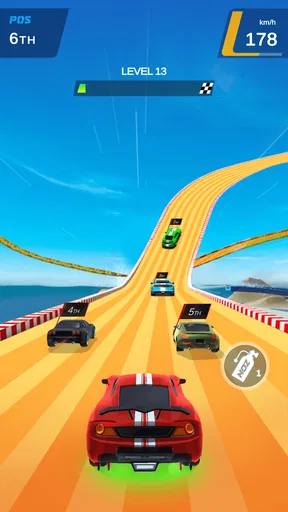
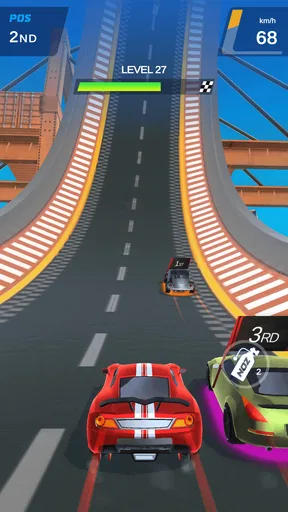
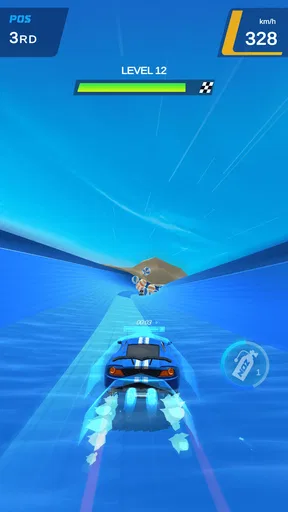
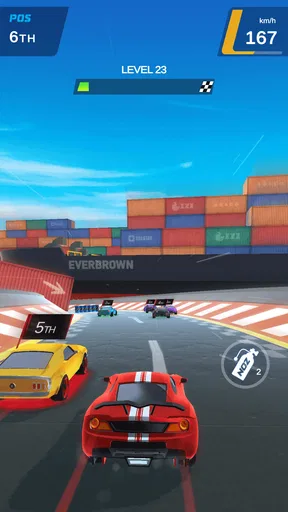
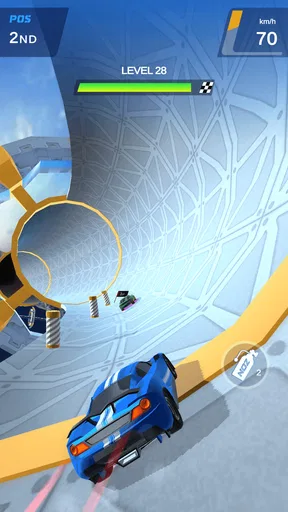

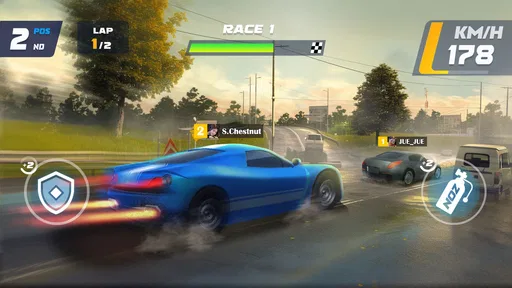
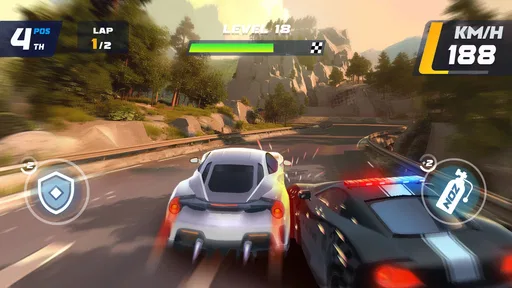
Our Review of Car Racing 3D: Racer Master
 Analysis by Appyee
I spent time with Car Racing 3D: Racer Master as the kind of game people often pick up on a shared phone or tablet: quick enough for a short break, familiar enough for a younger player to understand, and simple enough that nobody needs a long explanation before the first race. It is a free racing game from Flyyes, Inc., aimed at an Everyone audience, and its main appeal is immediate access to 3D car racing rather than a deep simulation experience.
That distinction matters. I would not approach this expecting the detailed tuning, realistic handling, or long-form career structure found in larger console-style racers. I see it more as an accessible casual racer for moments when you want to steer, react, and finish a race without committing to a complicated setup. The game has attracted over 10 million installs and holds a 4.8 average from around 21 thousand ratings, which suggests that its straightforward format works for a broad audience.
How Car Racing 3D: Racer Master Fits a Shared Device
In my household, the most natural use case would be passing the device between people for short sessions. One person can play while waiting, then hand it over without another player needing to understand a large map, a complex garage, or a long story. That makes it easier to coordinate than a racing game built around lengthy events. If several people share one phone, the practical rule is simple: agree on whose turn it is and avoid treating progress as if it automatically belongs to everyone.
That last point is worth keeping in mind because a shared device is not the same as a shared game profile. I would not assume that different household members receive separate progress areas or personal settings unless the game visibly provides them. A child, parent, or sibling using the same installation may be interacting with the same local game environment. Before handing over the device, I would check what screen is open and whether an in-game purchase prompt is visible.
The game’s free entry helps with casual sharing because someone can try it without paying upfront. At the same time, it includes in-app purchases ranging from $0.99 to $17.99 per item. That creates a clear household boundary: the person playing should know whether purchases are allowed, and the device owner should not treat a tap on a purchase screen as part of ordinary gameplay. For a family tablet, I would establish that rule before the first session rather than explain it after an accidental purchase attempt.
The best shared-device habit is to separate playtime from purchase permission. A player can be trusted to race without being authorized to spend money. Those are different decisions, and keeping them separate makes this game easier to use responsibly with children or guests.
Getting Started Without Turning Setup Into a Project
Car Racing 3D: Racer Master is available at no upfront cost, so the initial decision is low-risk: install it, try the controls, and see whether the style suits the player. It runs on Android devices using version 6.0 or later, which gives it a reasonably broad device range. I would still test it on the actual shared phone or tablet rather than assuming that an older device will feel equally comfortable, because racing games depend heavily on responsive touch input and steady performance.
My first recommendation is to let each regular player complete a short trial before making the game part of a routine. A young player may understand steering immediately but still need help with menus, interruptions, or purchase screens. An older player might find the controls approachable but want more depth than the game offers. That small trial reveals more than the store summary: it tells you whether the device is comfortable to hold, whether the visual pace is suitable, and whether the game feels enjoyable after the novelty of the first race fades.
On a shared device, I would also begin from a neutral screen and avoid leaving the game paused in a menu that could be misunderstood. This is not a special feature of the game; it is simply good coordination. If someone else is about to play, tell them whether they are continuing an existing session or starting their own turn. That is especially useful when multiple people are using the same device and one player cares about preserving progress.
The current version is 2.0.3, so I would keep the installed copy reasonably current through the normal app-store process. Updates can affect how an app behaves, and a household that shares one device benefits from everyone using the same installed version. I would not promise that an update changes the driving model or adds a particular feature, but keeping the app maintained avoids confusion when one person remembers a screen differently from another.
Controls, Pace, and the Right Kind of Racing Session
The strongest part of this game is its low barrier to entry. I can imagine handing it to someone who does not normally play racing games and seeing them understand the basic objective quickly. The 3D presentation gives the experience more visual presence than a flat arcade racer, while the casual structure keeps it from feeling like a serious driving lesson. It is suited to players who want action now, not a tutorial that takes longer than the race.
That accessibility also defines the trade-off. Players who enjoy careful braking, realistic vehicle weight, extensive car setup, or competitive lap analysis may find the experience too light. A simulation-focused alternative would be a better choice for someone who wants every corner to reward precise technique. A larger arcade racer may also offer more variety for a player who expects a broad collection of tracks, vehicles, and long-term objectives. I would choose this title for convenience and immediacy, not for maximum depth.
For a shared household, the short-session nature can be a real advantage. A parent can allow a quick turn before another activity, or two siblings can alternate without one person occupying the device for a long uninterrupted block. I would use a simple turn limit, such as one race or a few minutes, rather than relying on the game to manage the handoff. The exact duration can vary by player, but the principle is useful: decide the boundary outside the game so the next person knows when to expect the device.
One practical tip is to judge the game by how it feels after several turns, not only by the first visual impression. A casual racer can be exciting at first and repetitive later, particularly for experienced players. If a child enjoys repeating races and improving through practice, that may be perfectly fine. If an adult wants a changing challenge, the limited-feeling structure may become noticeable sooner. This is one of the clearest reasons to treat the game as a compact entertainment option rather than the only racing game on a device.
Coordinating Progress Between Players
Shared play works best when expectations are explicit. I would decide whether the household is treating the game as a communal activity or as separate turns on one installation. In communal play, players can celebrate progress together and accept that the visible state belongs to the group. In separate-turn play, each person may want to remember where they left off, which becomes harder if the game does not visibly separate profiles. I would not invent a profile system or assume that it exists; I would simply plan around the screens the game actually presents.
A useful routine is to let the player finish a race before handing over the device. Passing it during a live event can lead to accidental steering, lost concentration, or arguments about who completed the result. Finishing at a natural pause also makes it easier to see whether the next person is entering a new race or continuing something already underway. This small habit improves coordination more than any complicated household rule.
I would also keep purchase conversations short and clear. The game’s free label can make it feel harmless to every player, but optional purchases change the household decision. Younger players may interpret a visible item as a normal part of progression, while the account holder may see it as a real charge. Before sharing, explain whether purchases are forbidden, require permission, or are limited to an adult’s turn. If the device already has its own purchase protections, use them; if not, supervision matters more.
Another overlooked issue is attention. Racing requires concentration, so a child who is being asked to stop immediately may feel that the turn ended unfairly. I prefer giving a warning before the final race, then letting the player finish and return to a safe menu. That approach is practical for this type of game because the experience is built around discrete racing moments rather than a long multiplayer commitment. It also reduces the temptation to grab the device away while the player is still steering.
Age Context and Trust in the Home
The Everyone content rating makes the game a plausible choice for a broad age range, but an age label does not answer every household question. It does not tell me how a particular child will respond to repeated competition, visual intensity, or purchase prompts. I would watch the first session, especially with a younger player, and decide whether the pace feels comfortable. The right choice depends on the child’s habits as much as on the rating.
For older children and adults, the main concern is usually not basic comprehension but spending and device boundaries. A child may be perfectly capable of playing the racing sections independently while still needing an adult to handle purchases. I would frame that as a trust arrangement rather than a judgment about the game: playing skill and spending authority are separate. Clear rules make the experience calmer for everyone.
The game can also work as a low-pressure introduction to racing games. A new player can learn the relationship between steering, timing, and finishing a race without first dealing with a dense simulation interface. I would use it as a starting point for someone curious about the genre, then move to a more detailed alternative if they begin asking for tuning, realistic physics, or deeper competition. That progression is more sensible than expecting one casual title to satisfy every type of racing fan.
For a household with very different ages, I would avoid presenting the game as a competition that must produce a single winner. Younger players may enjoy the act of driving more than comparing results, while experienced players may naturally optimize their runs. Taking turns for fun, showing a new player how to approach the controls, and allowing different standards of success keeps the game welcoming. The title’s approachable nature supports that use better than a highly technical racer would.
Where It Sits Beside Other Racing Games
Compared with a realistic driving simulator, this game is easier to enter and less demanding to explain. You do not need to teach a household member about tire behavior or detailed vehicle setup before they can enjoy a race. The cost of that simplicity is that players seeking authenticity may feel under-served. I would pick a simulator for deliberate practice and technical driving, but choose this one when the priority is a quick, understandable session.
Compared with a large arcade racing game, it is more appealing when the device owner wants something uncomplicated. A bigger alternative may provide more systems, more content, and a stronger long-term sense of collection or progression. It may also require more storage, more time, or more patience from a new player. Car Racing 3D: Racer Master makes more sense when the household values quick access over an enormous feature set.
Compared with a competitive online racer, this is the safer recommendation for a player who does not want pressure from live opponents or complicated coordination. I would not choose it specifically for social competition, because its value to me is the immediate racing loop and its suitability for individual turns. Someone who wants organized online matches should look elsewhere, while someone who simply wants to pass the device around at home may appreciate the lower commitment.
That comparison also explains why the rating and install figures should be read in context. An average of 4.8 from roughly 21 thousand ratings and more than 10 million installs show strong broad appeal, but they do not guarantee that a simulation fan will love the handling or that every household will enjoy the same pace. Popularity tells me that the accessible formula resonates; it does not remove the need to match the game with the right player.
Small Decisions That Improve the Experience
My first concrete tip is to test the game on the device that will actually be shared, with the screen held in the position each player prefers. A racing game can be enjoyable in theory but awkward if a smaller phone leaves little room for comfortable control. This is especially important for children, whose hands may cover more of the screen. A short trial can reveal whether the device should stay on a table or be held during play.
My second tip is to create a handoff ritual: finish the current race, return to a clear menu, and tell the next person whether they are continuing shared progress or taking a casual turn. This prevents accidental changes and reduces arguments over whose result counts. It is a simple workflow, but it is more useful on a shared device than repeatedly explaining the controls.
My third tip is to treat purchases as an adult-only conversation from the beginning. Because individual items can cost from $0.99 up to $17.99, I would never let a child interpret the free download as permission to buy content. If a player asks about an item, pause the session and discuss it away from the excitement of the race. That keeps the decision deliberate instead of turning it into an impulsive tap.
My fourth tip is to use the game as a genre test. Give it to a new player and ask what they want next: faster action, more realistic handling, more vehicles, or more competitive play. Their answer tells you whether to stay with this accessible format or move to a specialized alternative. In my experience, that is a better way to choose a second racing game than downloading the most elaborate option immediately.
My Household Verdict
I recommend Car Racing 3D: Racer Master for households that want a free, easy-to-start racing game for short turns on an Android device. Its Everyone rating, broad device compatibility from Android 6.0 onward, and approachable 3D racing style make it a reasonable shared-device candidate. Flyyes, Inc. has positioned it as a quick entertainment option, and that is how I would use it rather than expecting a full driving simulator.
I would skip it for a player who needs deep customization, highly realistic physics, extensive long-term progression, or a clearly competitive online focus. I would also be cautious about installing it on a child-accessible device without first agreeing on purchase rules, since optional items are part of the experience. Those limitations do not ruin the game; they simply define the circumstances in which it works best.
For me, the final judgment is positive but specific: this is a convenient casual racer that earns its place through accessibility, not complexity. It works particularly well when a family or group of friends wants to pass one device around, take short turns, and avoid a steep learning curve. If that sounds like your household, the free download is an easy experiment. Just establish the boundaries first, keep purchase permission separate from play permission, and choose a deeper racing alternative when the player’s interests grow beyond quick 3D races.
Verdict
Strengths of Car Racing 3D: Racer Master
- Simple controls make it easy for beginners to start racing.
- Short races are convenient for quick gaming sessions.,3D tracks provide a more engaging experience than basic 2D racers.
- Vehicle upgrades can add a sense of progression over time.
- Offline play is useful when you have no internet connection.
Limitations of Car Racing 3D: Racer Master
- Gameplay may become repetitive after several races.
- Limited car and track variety can reduce long-term appeal.
- Frequent ads may interrupt races or menu navigation.
- Physics can feel basic compared with more advanced racing games.
- Some upgrades or features may require in-app purchases.
Similar Picks in This Category
View All
Hill Climb Racing
Fingersoft4.3

Dr. Driving
SUD Inc.4.2

Traffic Rider
skgames4.5

Asphalt 8 - Car Racing Game
Gameloft SE4.6

Race Master 3D: Car Racing
Beresnev Games4.6

Extreme Car Driving Simulator
AxesInMotion Racing4.3
Frequently Asked Questions
What is Car Racing 3D: Racer Master?
Car Racing 3D: Racer Master is a casual mobile racing game focused on quick driving challenges, simple controls, and 3D tracks. Players steer, accelerate, and try to finish races successfully while avoiding obstacles and improving their performance. It is designed for short play sessions, making it suitable for users who want an easy-to-learn racing experience rather than a highly realistic simulator.
How do you play Car Racing 3D: Racer Master?
The game is built around straightforward touch controls, so new players can usually begin racing without a long tutorial. Depending on the level, you may need to guide the vehicle around turns, avoid barriers, collect useful items, and reach the finish line. Success generally depends on timing, careful steering, and learning the layout of each track instead of simply driving at maximum speed.
Does Car Racing 3D: Racer Master work offline?
Car Racing 3D: Racer Master may allow some racing content to be played without a continuous internet connection, which is useful when traveling or when mobile data is unavailable. However, online access can still be required for advertisements, updates, store features, rewards, or other connected services. It is best to launch the game once while connected and check which modes remain available offline on your device.
Is Car Racing 3D: Racer Master free to download?
The game is generally offered as a free download, but free access may include advertising or optional in-app purchases. These purchases can potentially provide extra resources, remove advertisements, or support progression, depending on the current version. Before downloading, users should review the official store listing for the latest pricing, permissions, age rating, and any information about purchases made inside the application.
What devices are compatible with Car Racing 3D: Racer Master?
Compatibility depends on the operating system, device model, and version of the game available through the official app store. Because 3D racing games require graphic resources, older phones may experience slower loading, reduced performance, or limited visual quality. Check the Android or iOS store page before installation to confirm the required operating-system version, available storage, and whether your device is supported.
Play our best games!


